Upload once. Titles and captions go out in 30 languages.
ChannelManager connects all your YouTube channels in one place. Drop in a video and its caption file, and it translates the title, description and captions, sets the thumbnail and schedules it. Then you answer comments from every channel in one inbox.
Invite-only and free during early access.
 ScheduledCrossing the Dolomites in 4 days (gear list)
 Trail NotesTue 17:00EN + 29
 Uploading 62%Why your sourdough is flat: 3 tests
 Kitchen LabTue 19:30EN + 8
 Captions 6 of 8I replaced my NAS with a $90 mini PC
 BytewiseWed 15:00EN + 12
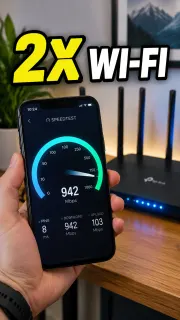 Waiting for pairThe one setting that doubled my Wi-FiBytewise Shortsafter long-formEN + 12
 Reconnect neededGravel vs. road tires on the same climb
 Mesa CyclingThu 16:00ES + 6
 ScheduledIs an 800 g tent enough for a storm?Trail NotesFri 17:00EN + 29
 Translating 5 of 872 hours for one croissant: worth it?Kitchen LabSat 10:00EN + 8
 ScheduledMy homelab tour: 4 machines, 38 W idleBytewiseSat 15:00EN + 12
 DraftMy glaze kept crawling. Here's the fix
 Fern & ClaySun 12:00EN + 5
 ScheduledCan I hold 300 W for 20 minutes?Mesa CyclingMon 07:00ES + 6
- 30 languages
- for titles, descriptions and captions
- Up to 256 GB
- per video, with resumable uploads
- Every channel
- you own, including Brand Accounts
- Official YouTube API
- your password never reaches us
Publishing to more than one channel, or in more than one language, is mostly copy and paste.
Studio works one channel at a time.
Ten channels means ten tabs, ten calendars and ten places to check whether last night's upload went out.
Every language is typed by hand.
A title, a description and a caption file per language, pasted one by one into Studio's translation screen.
Captions go up one file at a time.
Each language is its own SRT file, translated somewhere else and uploaded separately in Studio.
Comments are scattered.
Questions in Spanish on one channel and spam held for review on another, and you find both a week late.
Reach viewers who don't search in English.
Viewers see your title and description in their own language, and can turn on captions in it too. You pick which languages also get a caption track.
Your glossary stays in English
Brand names and product words like NAS or mini PC are never translated.
Each region gets its own spelling
Portuguese goes out separately for Brazil and Portugal, Spanish for Latin America and the US.
Caption timing stays intact
Captions are translated line by line from your SRT or VTT file, keeping every timestamp.
Language sets you can reuse
Pick languages per video, or save a set like “Top 8” and apply it in one click.
- es-419SpanishLatin America and USCambié mi NAS por un mini PC de 90 dólares
- pt-BRPortugueseBrazilTroquei meu NAS por um mini PC de 90 dólares
- pt-PTPortuguesePortugalTroquei o meu NAS por um mini PC de 90 dólares
- deGermanIch habe mein NAS durch einen mini PC für 90 $ ersetzt
- jaJapaneseSRT file ready, not uploadedNASを90ドルのmini PCに置き換えた
- hiHindiSRT file ready, not uploadedमैंने अपना NAS 90 डॉलर के mini PC से बदल दिया
All 5 channels- Lucía M.2 h Question SpanishTrail NotesCrossing the Dolomites in 4 days
¿Qué saco de dormir usaste para las noches en el refugio?
Translated:Which sleeping bag did you use for the nights at the hut?
AI reply draft, goes out in SpanishA 0 °C down bag, about 900 g. The huts had blankets too, so it was plenty.
Un saco de plumas de 0 °C, de unos 900 g. Los refugios también tenían mantas, así que fue suficiente.
Send in Spanish EditNothing posts until you press Send. - dmitri_k5 h QuestionBytewiseI replaced my NAS with a $90 mini PC
Does the mini PC handle 4K transcoding or is that too much?
Reply Draft with AI Hide - freecoins_4u1 d Held by YouTubeKitchen LabWhy your sourdough is flat
Win a free gift card, click my profile!!
Approve Hide Hide and ban author
Example comments and channels.
Every comment from every channel, in one list.
Answer and moderate comments from all your channels without opening Studio.
Filter across every channel
Unanswered questions, comments held for review, or one video's thread.
Translated where you read it
Comments in other languages show an English translation right underneath.
Reply in their language
Write in English and the reply goes out in the commenter's language.
AI drafts wait for you
Ask for a draft when you want one. Nothing posts until you press Send.
Moderate in one click
Approve, hide, or hide and ban the author, the same actions Studio has.
From file to scheduled video in four steps
 1
Connect your channels
Connect with Google once and approve access on Google's own screen. If your account owns several channels or Brand Accounts, pick the ones you want.
 2
Drop in a video
Drag in the file, up to YouTube's 256 GB limit. It goes straight to storage and resumes if your connection drops.
 3
Add captions and pick languages
Add the caption file in your video's language and we translate it, along with the title and description. Fix any line before it goes out, or bring your own files for any language.
 4
Pick a time and close the laptop
The video uploads as private with a publish time, and YouTube releases it on schedule. Your computer doesn't need to be on.
Thumbnails are checked first
We check size, ratio and file size before upload, and tell you up front if a channel can't use custom thumbnails yet.
Each channel keeps its pace
Set a daily limit, working hours and a minimum gap. Shorts go out right after their long-form video.
Retries don't restart the upload
If one caption track fails, only that track is retried. The video stays up.
Pricing
Free during early access. These are the prices we plan for launch.
Creator
One person, one or two channels.
$19 / month
- 2 channels
- 30 uploads a month
- 5 translation languages
- Comments inbox
Pro
Most languages per dollarCreators publishing in many languages.
$49 / month
- 5 channels
- 100 uploads a month
- All 30 languages
- Comments inbox with AI reply drafts
- 3 team seats
Agency
Teams running channels for clients.
$149 / month
- 25 channels
- 500 uploads a month
- All 30 languages
- Auto-reply rules
- 10 seats with roles
- API and webhooks
Need more channels or volume? Tell us what you publish and we'll set up a custom plan.
What we access on your channel, and why
You approve these on Google's own consent screen. We use them only for the features you use, and you can revoke them at any time.
- Your Google account's name, email and picture
- To show which Google account each connected channel belongs to.
- Upload videos
- To upload the videos you add, at the time you schedule.
- Manage your videos, captions and comments
- To set thumbnails, translated titles, descriptions and caption tracks, and to show your comments and reply, hide or approve when you click.
We never see your password, never delete your videos and never use your data for ads or to train AI. How we protect your channel · Privacy policy
Questions
Is it safe to connect my channel?
You sign in on Google's own screen and see exactly which permissions we ask for: uploading videos and managing your videos and comments. We never see your Google password. Sign-in tokens are encrypted, never shown in the browser, and you can disconnect a channel at any time, which revokes our access at Google and deletes the tokens. The security page has the details.
Do I need a caption file?
For translated captions, yes: add an SRT or VTT in your video's language (most editors export one) and we translate it line by line, keeping the timing. Without one we still translate the title and description. A file you upload for any other language always takes priority over a translated one, and you can edit any line before it goes out.
Why do caption tracks count separately from translated titles?
YouTube charges API quota per caption track, while all translated titles and descriptions go out in a single update. So we translate listings for every language you pick and let you choose which languages also get a caption track. Every caption file is still made and you can download it.
Can it add dubbed audio tracks?
Not yet. YouTube's public API doesn't allow uploading extra audio tracks, so we don't offer it rather than offer a workaround that breaks.
What happens if YouTube signs me out?
The channel is marked as needing a reconnect, its uploads pause instead of failing, and you get an email and a banner with a one-click reconnect. Once you reconnect, the queued videos carry on.
Can I send videos from my own scripts?
Yes, on the Agency plan. Send a bundle (the video, thumbnail, subtitles and a JSON file with the listing) to our API and get webhooks when it publishes or fails.
When will I be charged?
Not during early access. Prices above are what we plan to charge at launch, and we'll tell you before anything changes.
Why is it invite-only?
Every app that uses YouTube's API shares one daily allowance of API actions. We open ChannelManager a group of channels at a time so every account stays within it and nobody's schedule slips. Request an invite and we'll email you when it's your turn.